Homelab
In the beginning I only had a simple Raspberry Pi on which I run Home Assistant. Then I started to integrate more and more Systems into my Smarthome. I also wanted to be able to manage everything remotely. I started using a simple DIN-Rail to mount some things but this also got clustered and felt unprofessional. And this grew to the, for now finished, version you can see here.
Overview
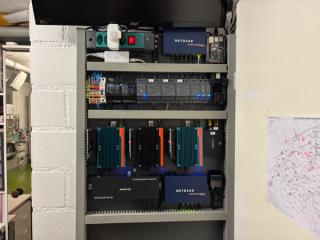
For the general setup, I used one HPL-plate that I had left from building my Print3Delta 2.0. As a former automation technician, I had a clear idea how it would need to look, though I have to admit the design changed multiple times over the time when things were changed or added. In the end I arrived at the design you can see here, which I'm pretty satisfied with.
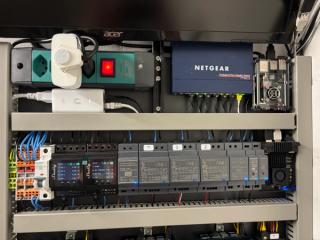
It features the top area, which mainly is for power and network distribution and also has two Pis and the lower area which features the Proxmox cluster. The whole system is designed in a way that it is fully remotely manageable.
Top area

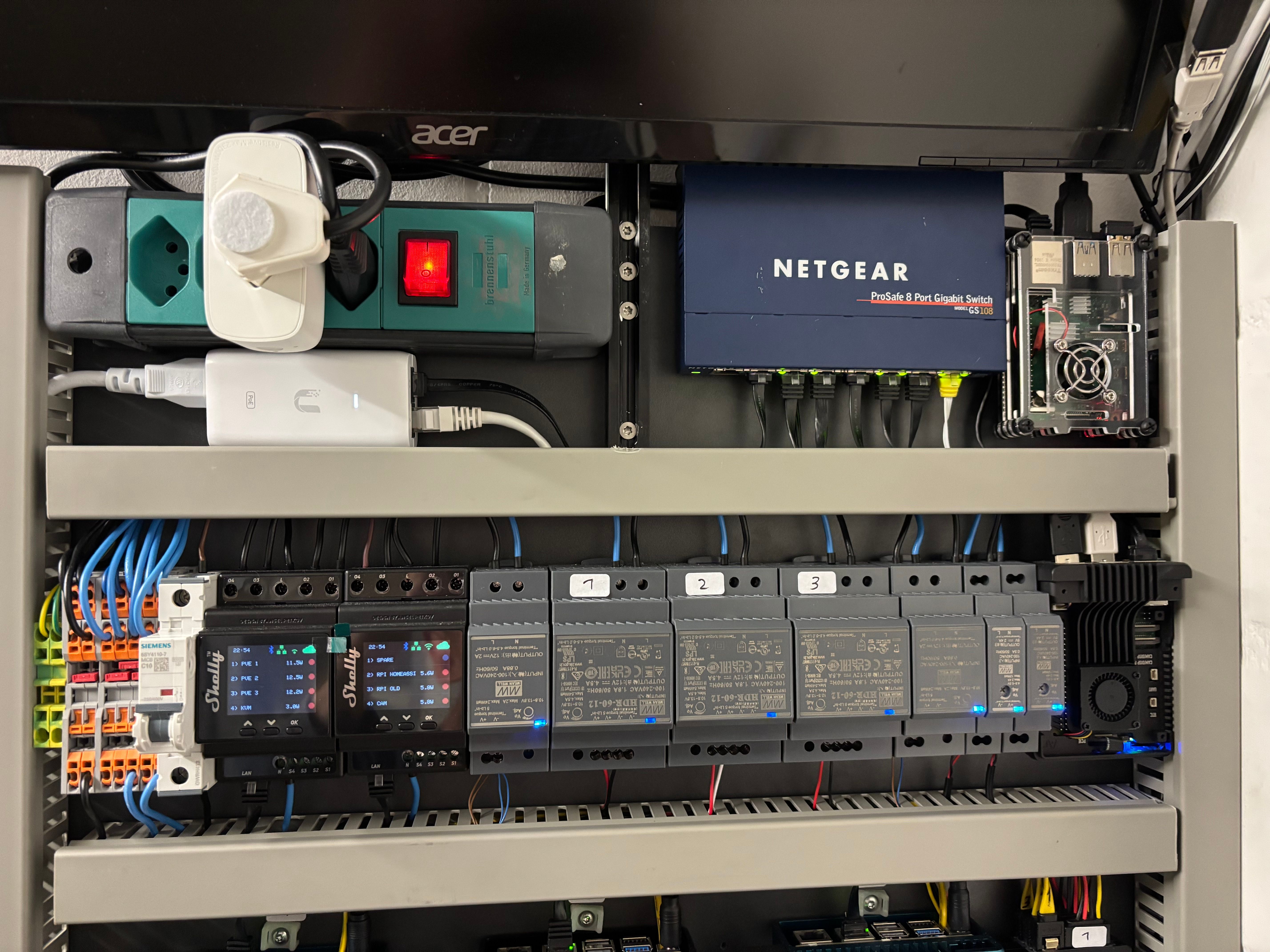
This upper part is for the power distribution. First of all, there is a UPS that can handle the whole system for about 30 minutes. But this is only needed for a couple minutes, as the whole system is connected to our Solar system, which features a UPS socket. If there is a power loss, there is a 30 seconds power interruption before the backup power comes up, and only for that I need my standalone UPS. The whole system is also controlled by two Shelly 4PM Pros that individually manage the installed components.
This part also holds two Raspberry Pis, on Pi 5 for my Home Assistant setup. This is the black box to the right on the lower rail. Then there is the Pi 4 that is only used as a backup Tailscale gateway and as an interface to the monitor on top to show some Grafana statistics if needed. The whole system is fully integrated in our smart home. Well, the Home Assistant Pi is the smart home. But it is connected with the solar system to optimize usage and charging of the Battery and appliances. You can read more about that in the dedicated project Home Solar System.
Bottom area

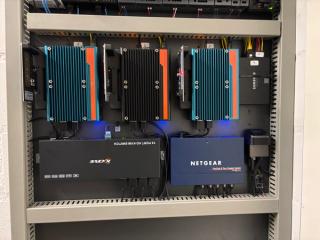
This is the area that holds the 3 node Proxmox cluster, which is fully redundant with failover and shared storage through Ceph. I mainly use it as a second backup server for files I don't save on Google drive and also to run some Docker containers because I didn't want to pay for an online server.
The reason why you need 3 nodes for redundancy and not only two is because you always need a to keep the quorum or majority in case one node fails. It used three mini PCs, one with an N300 and two with an N100. You have one shared storage with NVMe SSDs and one with Sata SSDs, all managed by Ceph.
To remotely manage everything I used a 10 port KVM-switch, to future proof everything, and a JetKVM. At some point I would like to upgrade to a proper switch with management capabilities and POE but for now I don't have the resources.