Print3Delta 2.0
I already had my 3D-Printer, the original Print3Delta, but there were certainly many issues with it:
- The distance between the bowden extruder and the head was almost a meter, which made it extremely difficult to have a precise filament flow.
- Also, there was no chamber, so it was sensitive to temperature changes.
- Due to the fact that the heated bed was a glass plate and the printing head had an infrared sensor, it was almost impossible to get a perfect bed levelling.
- For special materials and for a robust printing experience, a heated chamber is highly recommended. Due to the fact that most parts of the printer itself were 3D-printed, turning it into a heated chamber made it almost impossible.
After many years of struggling, I finally decided to rebuild the whole printer. I was considering only changing a few parts, but ended up replacing 90% of it. Only the electronics and motors could really be used again.


Overview
For the explanation of the original Print3Delta, please see: Print3Delta.
I still wanted to keep the basic concept of my original 3D-Printer. Delta-Design, Bowden extruder, as big as possible. But I also had to solve the existing problems. So I came up with the following big changes:
- Enclosed case, to make the printing less sensitive to environmental changes
- Heated chamber, allows printing of more advanced and sensitive materials, while printing and while cooling down
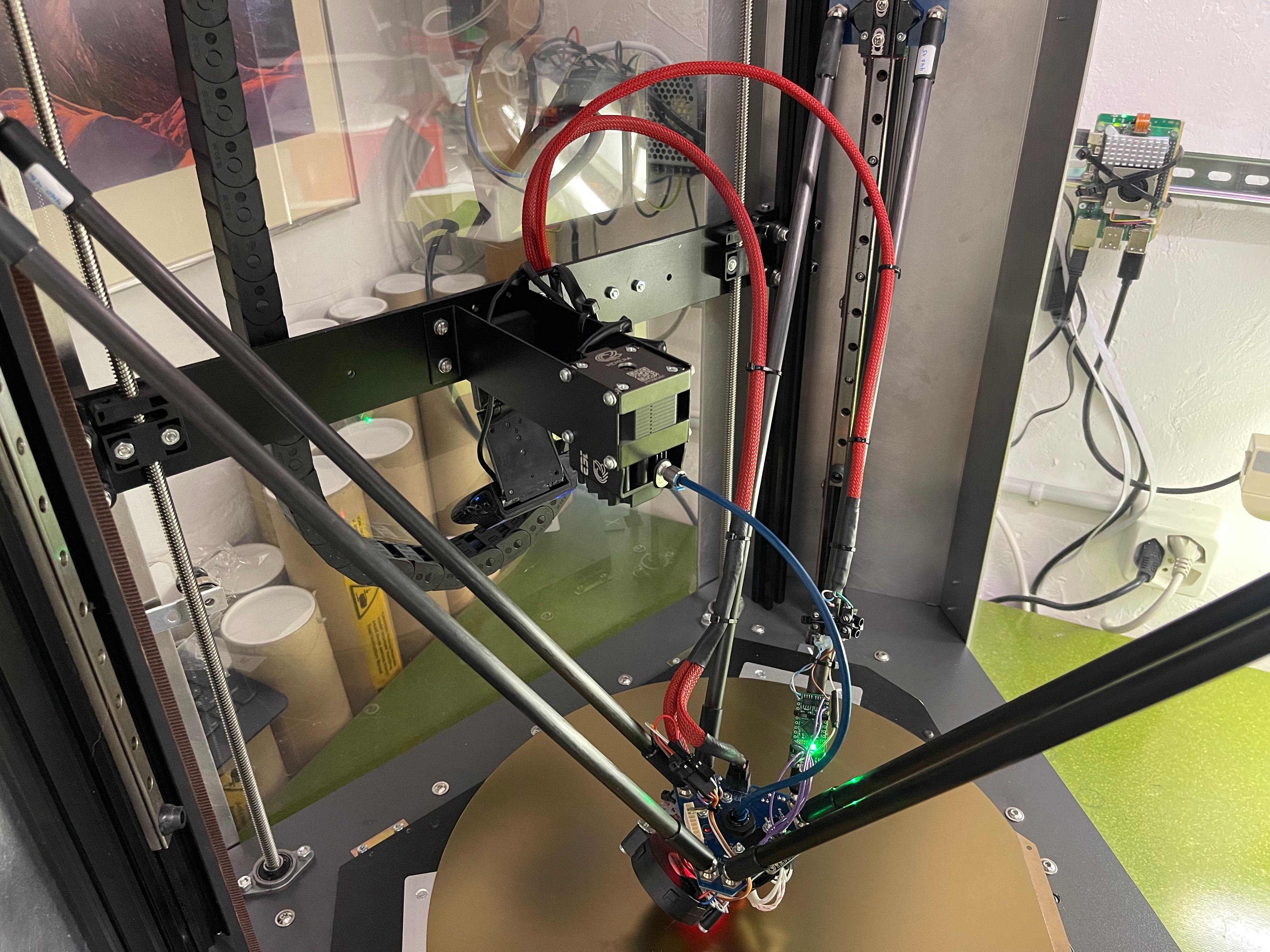
- Bring bowden extruder as close as possible to hotend, while also not overcomplicate it
- Use a reliable bed probe. In my case BLTouch was perfect
- Make everything a little bigger
- Don't use any 3D-printed parts for the printer, as those are not compatible with a heated chamber and also less accurate
- Put the screen on the case, so it's easily accessible
- Install an emergency stop. Especially important when you are configuring something or trying a new part
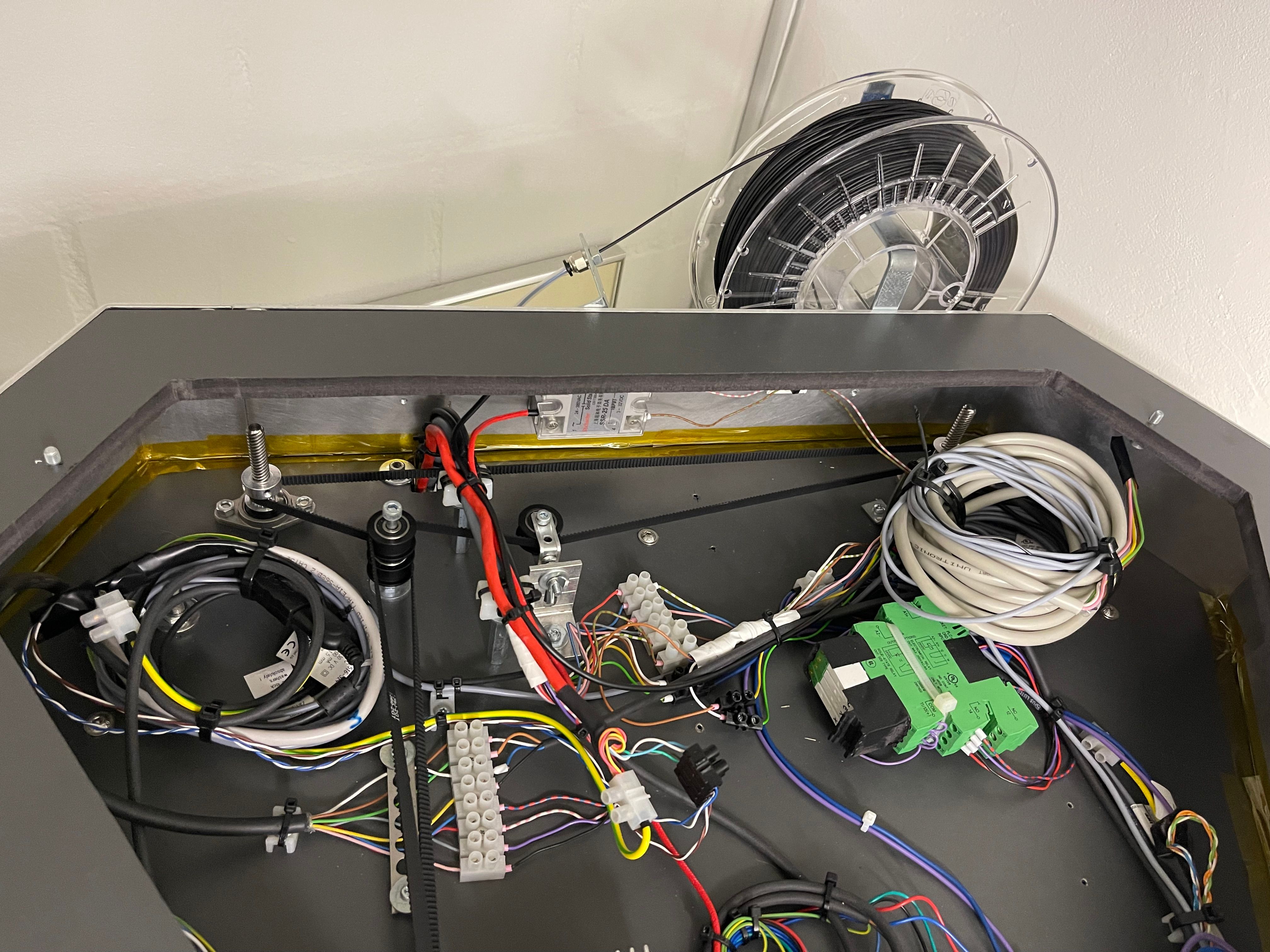
- Make the top also an enclosed case so all the hardware and electronics can be hidden. Before, everything was just lying on top.
As with every project, I started to create the new printer in my head, long before I put anything in my CAD or started to actually build something. I knew I gonna reuse the same design as before, just with the right improvements. I found aluminium corners, which were perfect for my design. For the chamber, I knew the simplest way would be some aluminium sheets for the corners and acrylic glass for the sides. I wanted the bottom with all the electronic to be easily accessible, while also not sacrificing stability. And for the extruder, after some extensive brain storming, I decided to use a separate rail on the back for mounting the extruder, which then follows the hotend as close as possible. I started to do some research for ideas and available parts and eventually had a new printer constructed in my head pretty close to the one I ended up building.
Now it was time to put everything in CAD. For this, I used Onshape, a system very similar to Solidworks, free for personal use and most importantly completely browser-based, as everything shoud be this days. Designing everything in CAD was not only necessary to calculate the dimensions needed for the individual parts but also helped a great deal when I had to configure the printer. During the design process, I ended up changing some things here and there as you ged a different view once you actually see the assembly and can simulate the movements. What really took some effort and time was to find a solution for the separate axis for the extruder. One that I was truly satisfied.

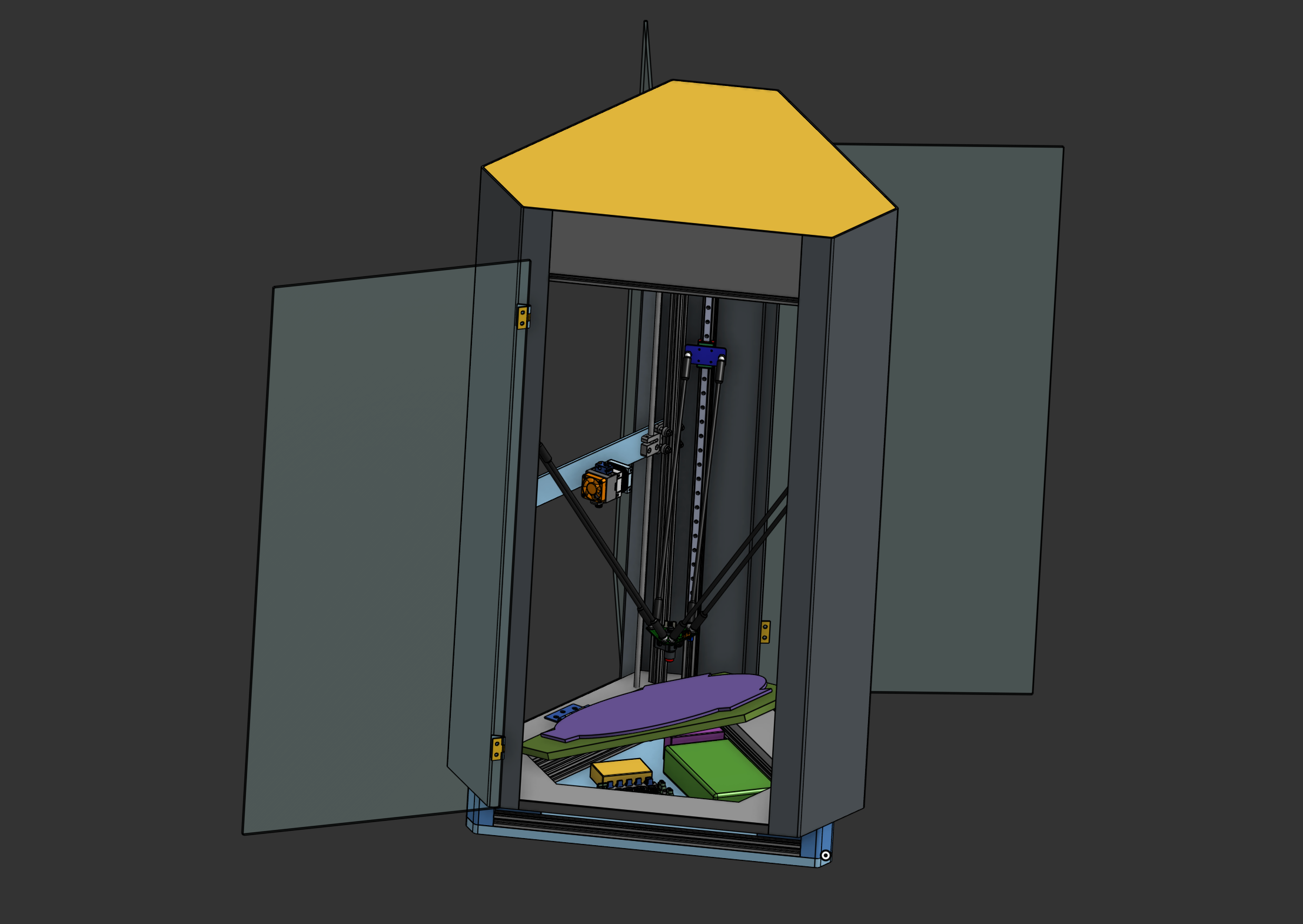
When everything was ready and I was satisfied with the model I had in my CAD, I finally started to order everything. As always, I had to wait a couple of weeks until everything arrived. In this time it was like Christmas all couple of days. You come home and see something new to unpack.
The Assembly
Once I had all parts together, the real fun started. I could finally start assembling. You can see the barebone mechanical construction in the following picture:


As last time, it was very important for me to have as much of the cables hidden inside the construction. One of the big changes was the additional axis for the extruder.

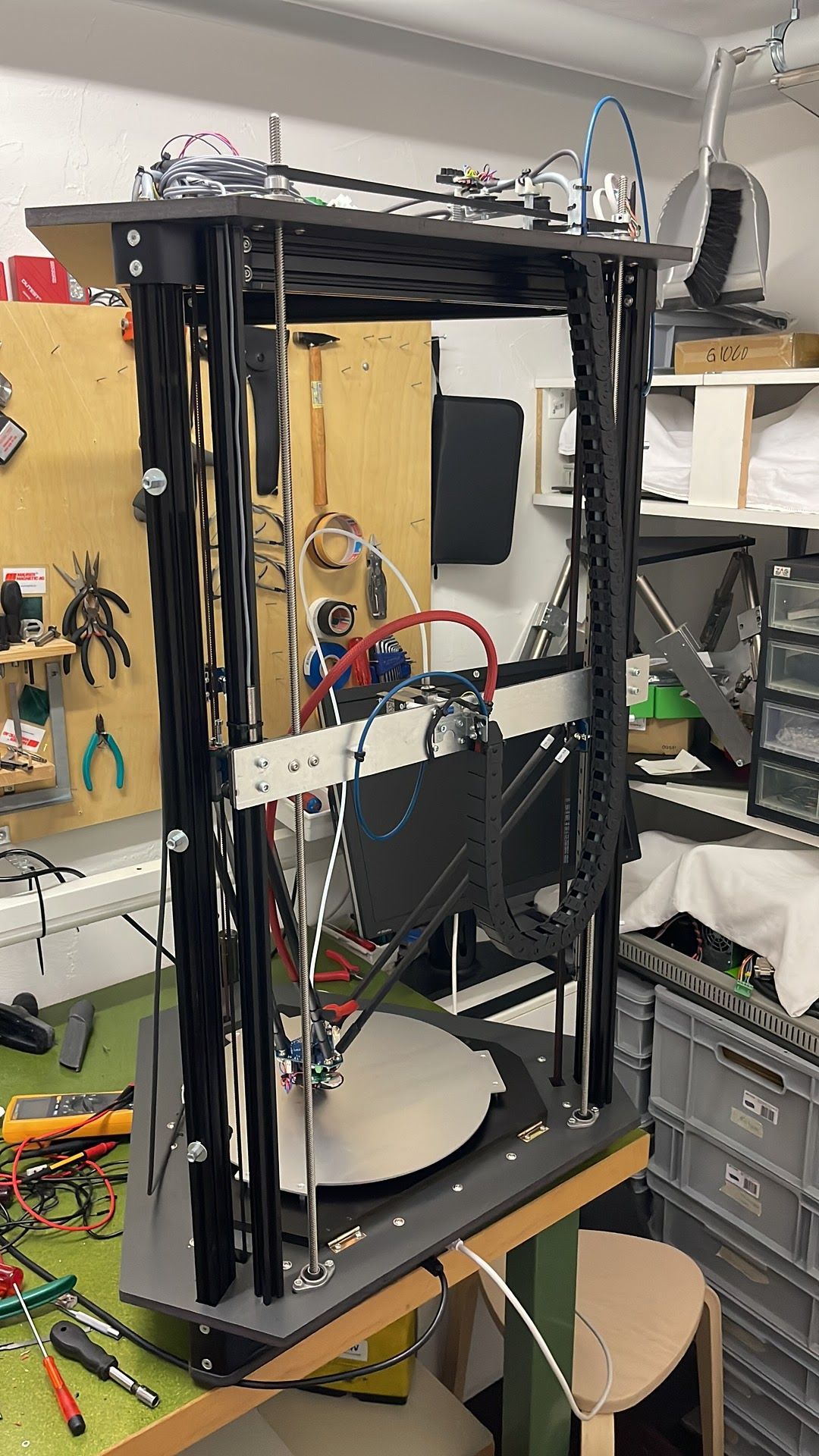
For it to work properly, I had to design a elaborated system to drive both lead screws simultaneously with one motor. I could have used two separate motors but the control board I had didn't allow it and I would have had to buy one more stepper motor, which would again increase cost:

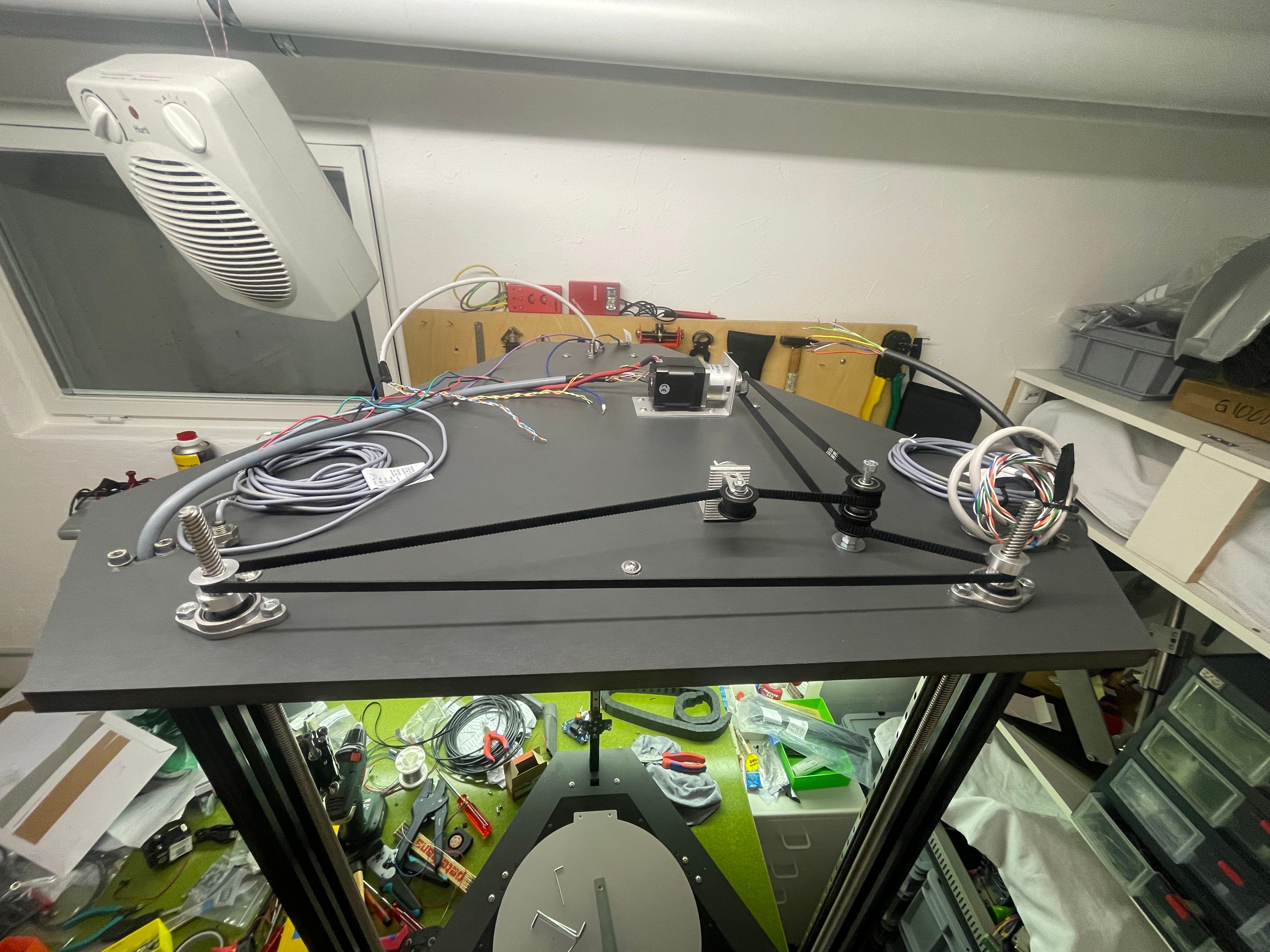
Now I could move the extruder individually as close to the hotend as possible. In the finished version, this looked like this:
For the 3 axis of the printer as well as the separate axis for the extruder, I used inductive sensors, which minimize errors. I had some problems with the reliability of the mechanical end switches I used before:
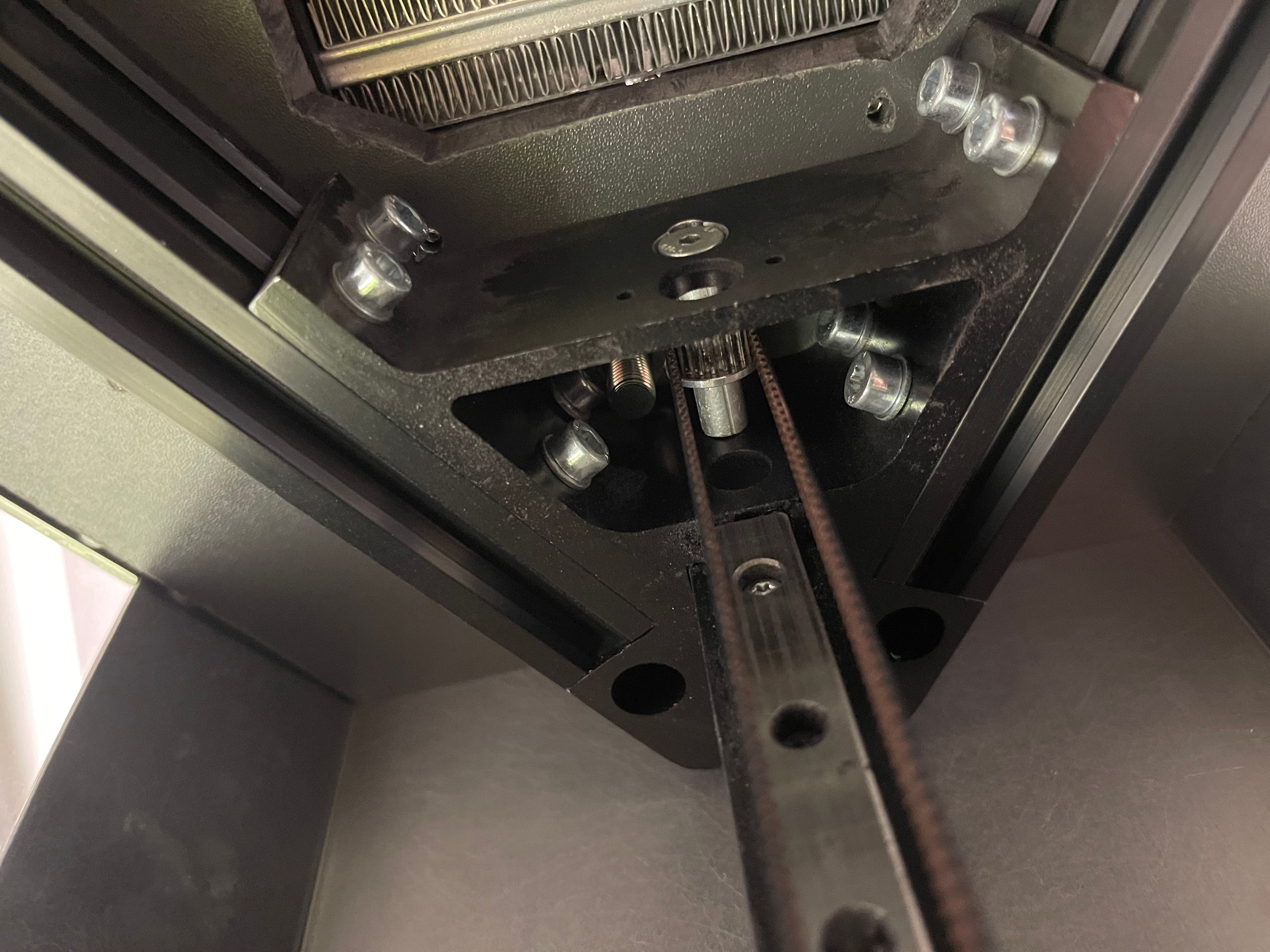
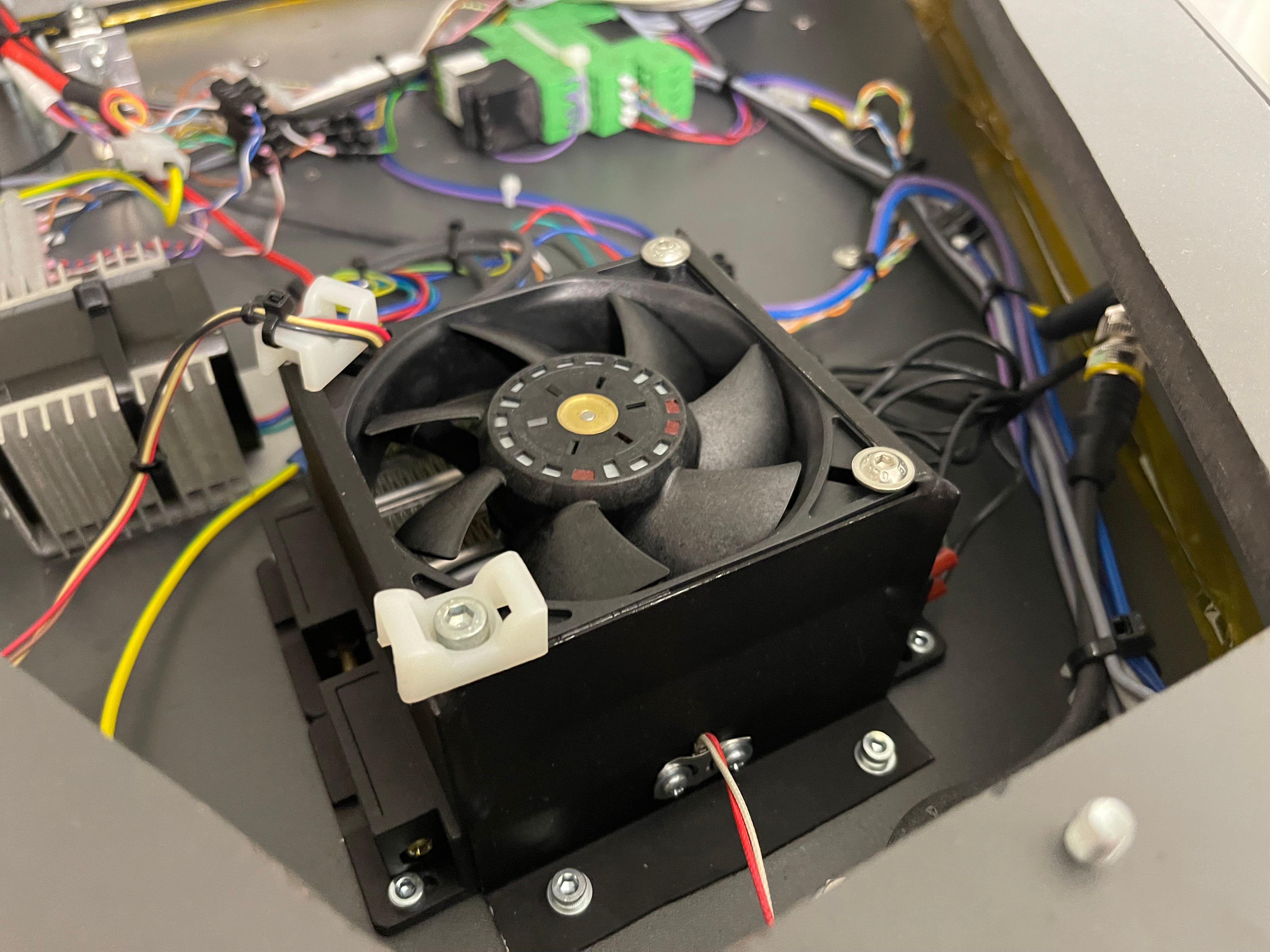
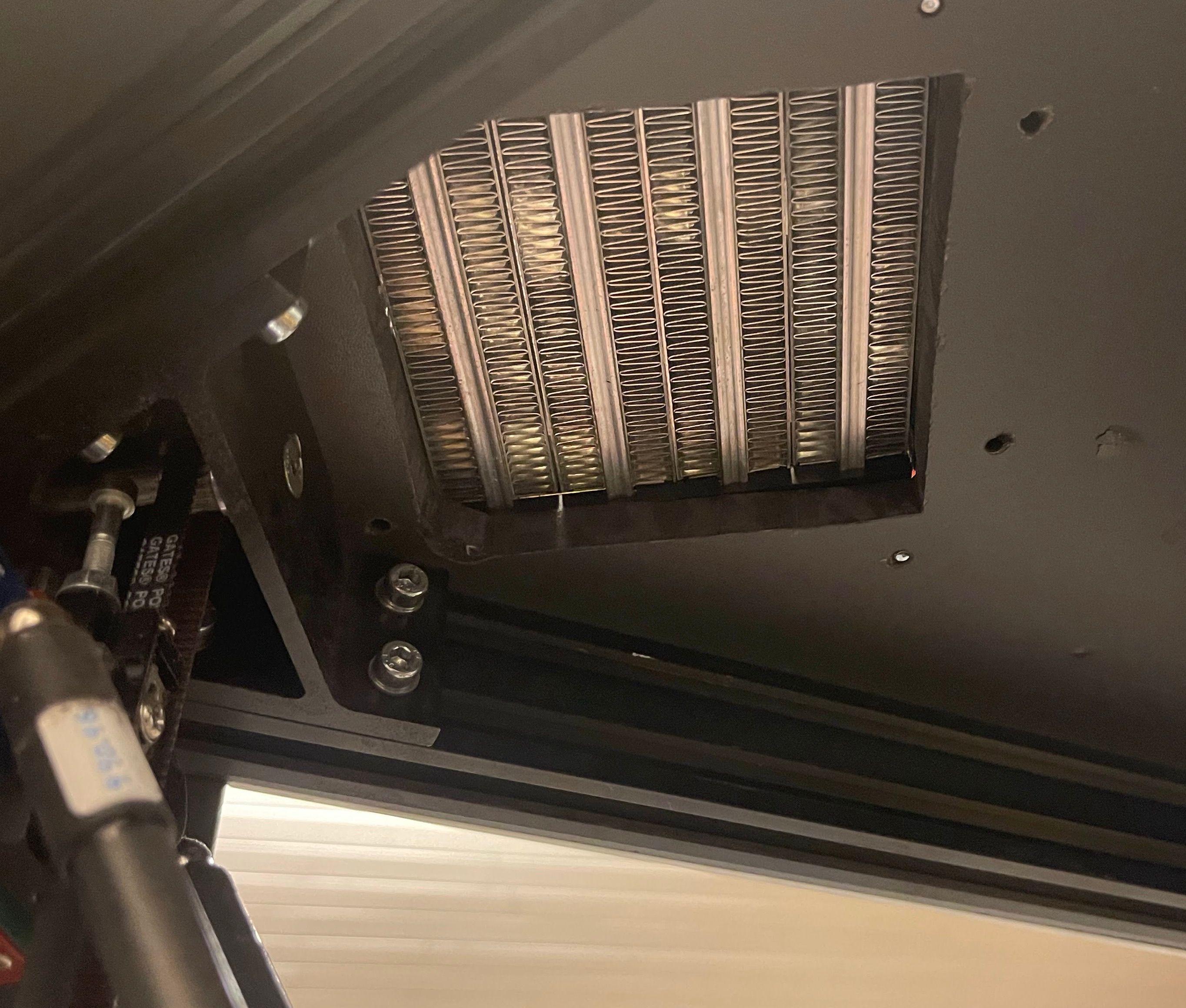
And for the heater, I used a beefy one with 1kw 240V peak, that I controlled over a solid state relay. I had to build a custom enclosure for the heater in order to seal it and mount a fan on it:

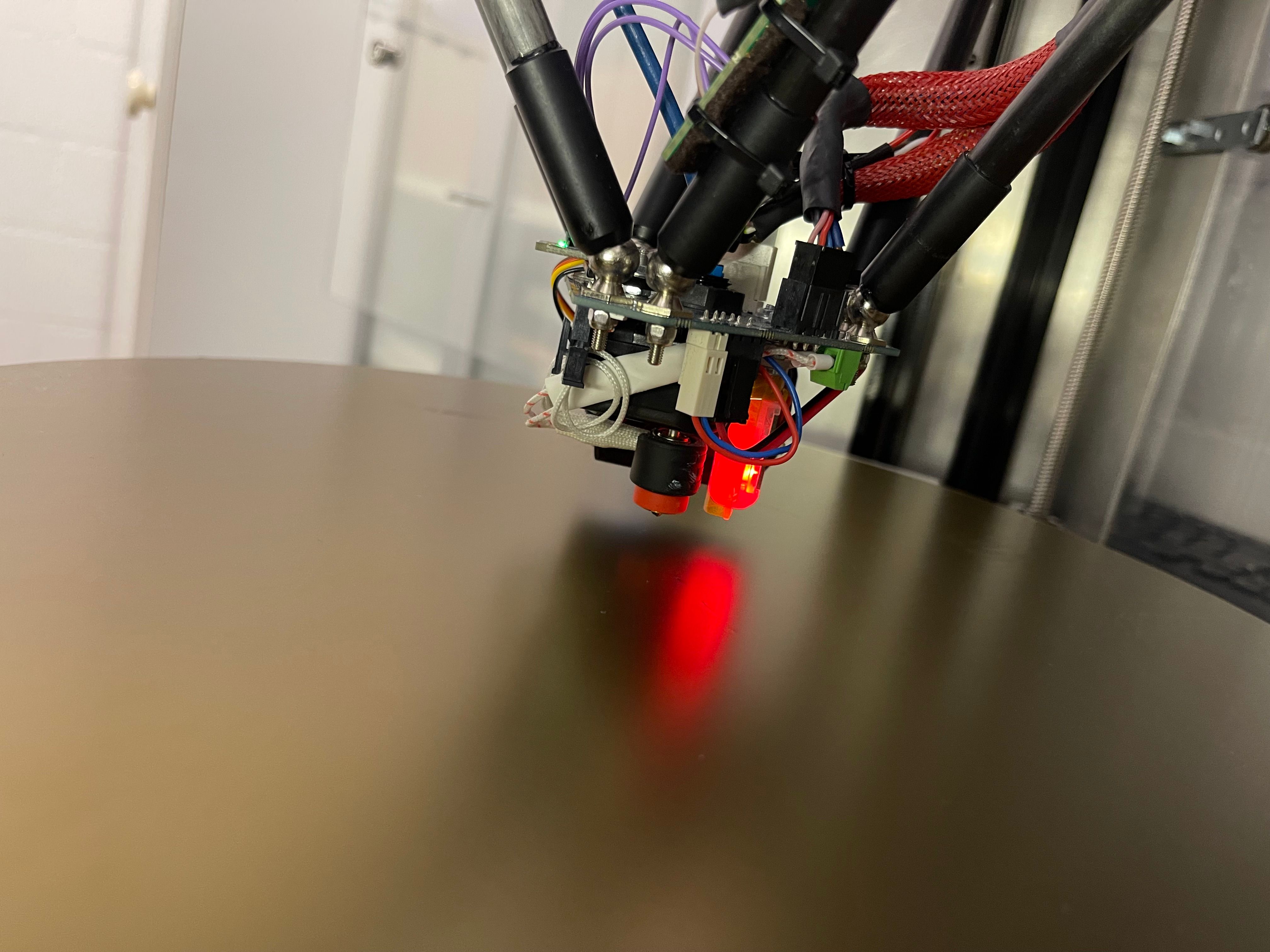
The head is now very compact and guarantees a reliable bed probing due to BLTouch. With it's low wight, inertia and vibrations are almost non existing. Also, for the bed, I used a magnetic metal sheet that futures two different sides. One flat and one rough, which allows to have options for different materials. The main problem here, as well as the heated plate below it, was to find one that was big enough for my big printer:
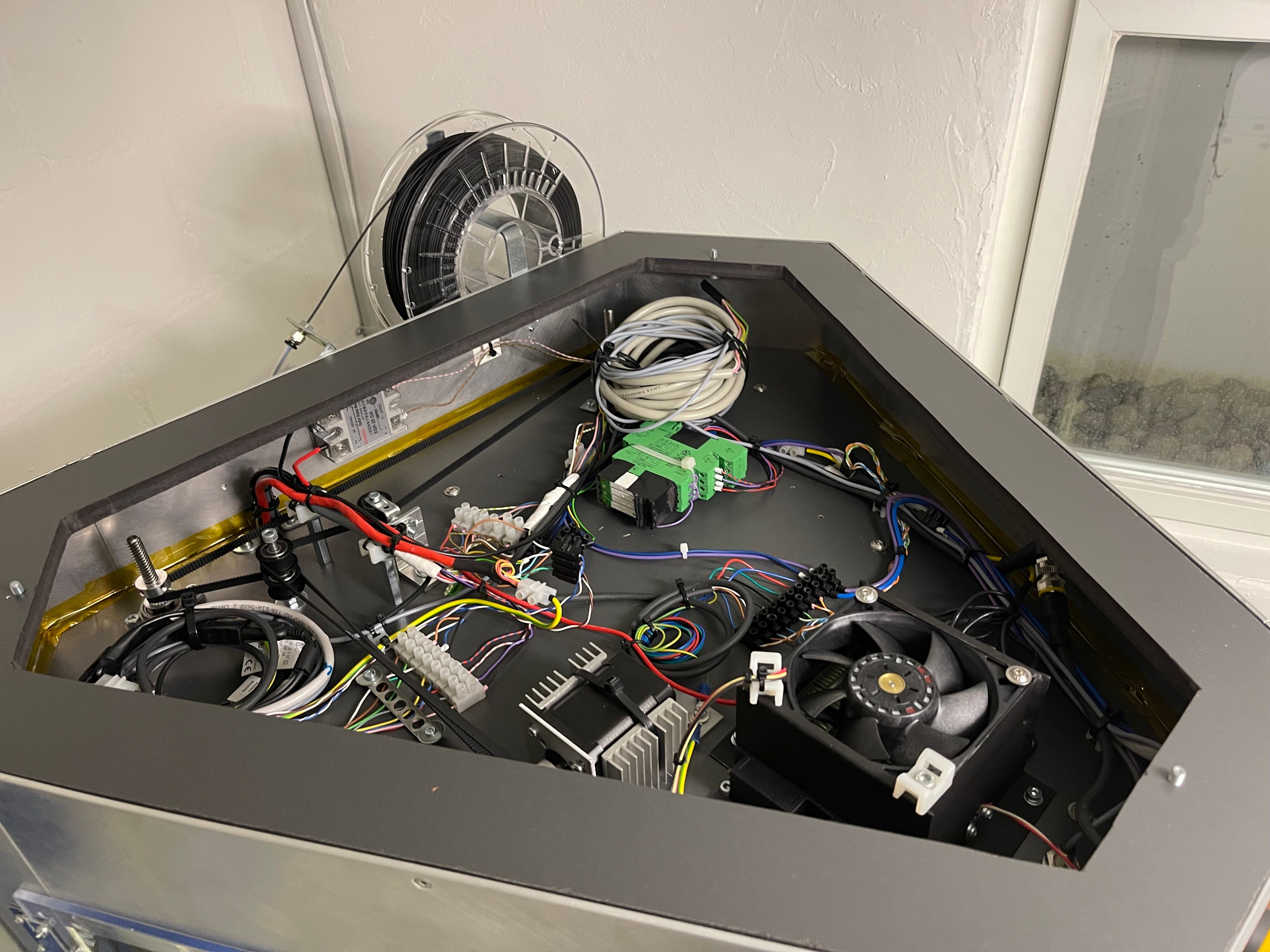
The bottom now futures an easily accessible way to get to everything. Due to the hinges, it would even allow to open it during a print and put it back to the right position, if there would ever be a problem that requires it:

And also the top is now very clean and most importantly, enclosed:
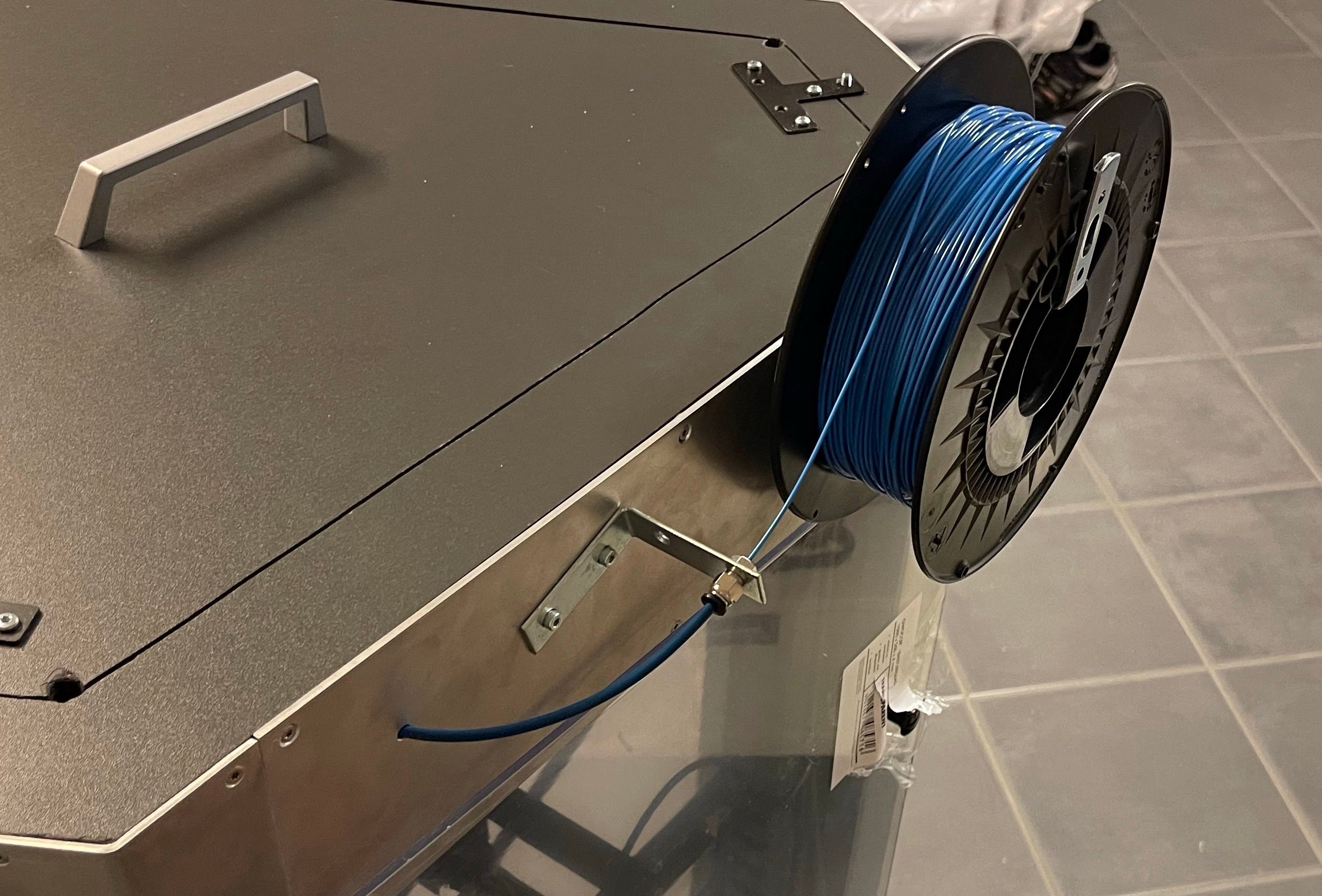
With the cover placed, it looks very clean. Originally I was concerned that the thing gaps would restrict the air flow too much for the heater to work properly. But the fan is quite strong and there are enough gaps for the air to flow. Also, the airflow additionally cools the stepper motor, which can get quite a bit warm on a long print. The material spool is now easily accessible and simple to replace. The tube feeds directly to the extruder. At some point I might add a filament runout sensor:

Finished assembly
Here you can see the finished mechanical part. It's not finished on the inside at the point of the picture, but you can get an idea of the size:

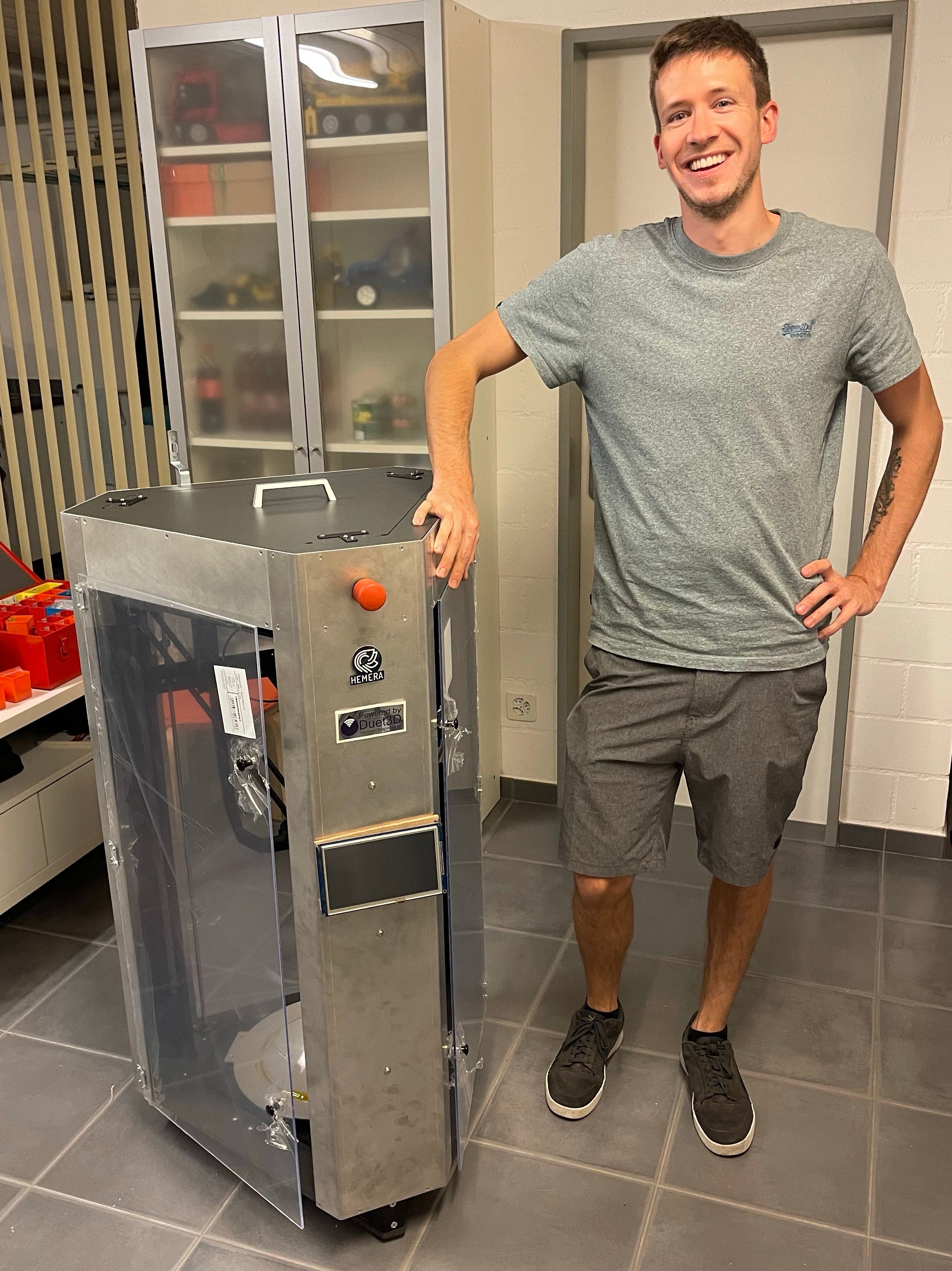
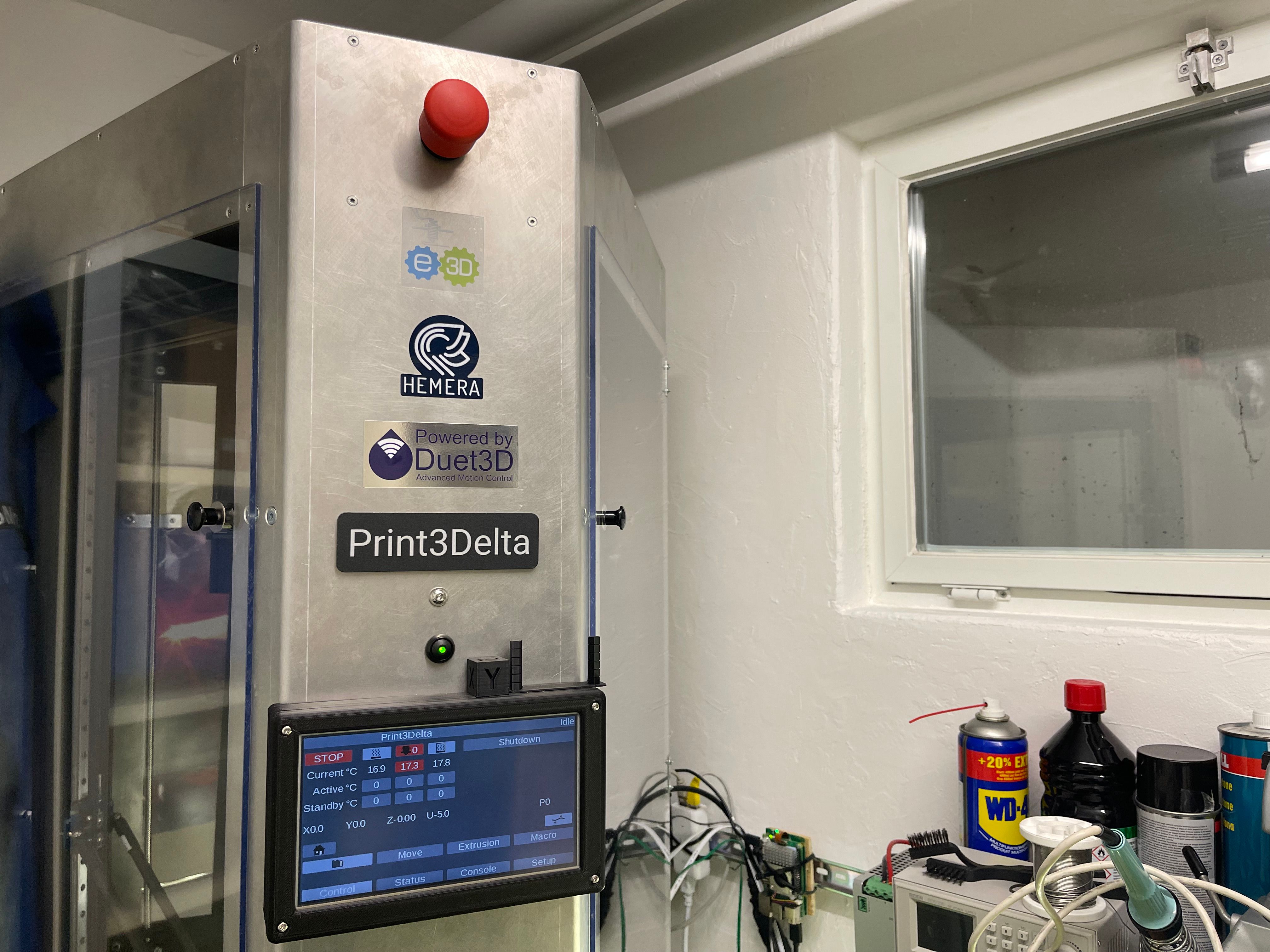
Also the front is now more complete. With the touch screen mounted properly, an emergency stop if you mess up and of course a lot of stickers. It also futures a button to turn it on. Inside the printer, there is a Shelly Plus 2PM, which allows remote turn of of the printer and also to shut the printer itself of when it's finished printing and cooling down. You can also select shutdown on the screen or web interface, which will start a shutdown procedure:
The configuration
Once everything was in place and properly mounted, I could finally start to power it up and configure it. Well I turned it on a couple of times while building to test some things and do improvements but it't not the same. Isn't that one of the best feelings when you invest hundreds of hours and then it finally comes alive? But of course, in the beginning, not everything worked out as expected. Some wiring was wrong, some things didn't work as expected but after some hours of reconfiguration I were there. Eventually I could print start printing. Of course, in the beginning, I was far from satisfied. There was a lot of calibration to do but with time a reached a very satisfying level of quality.
For the software, I use Simplify3D, in my opinion one of the best ones out there. Yes, it is not free, compared to some other ones out there but certainly worth it when you see how much you can do with just a couple of software settings.
With every new part I printed, I learnt something new how to get the best out of it. By now, I am able to print in a pretty good quality. Still, this project is like a never ending work in progress.